Context
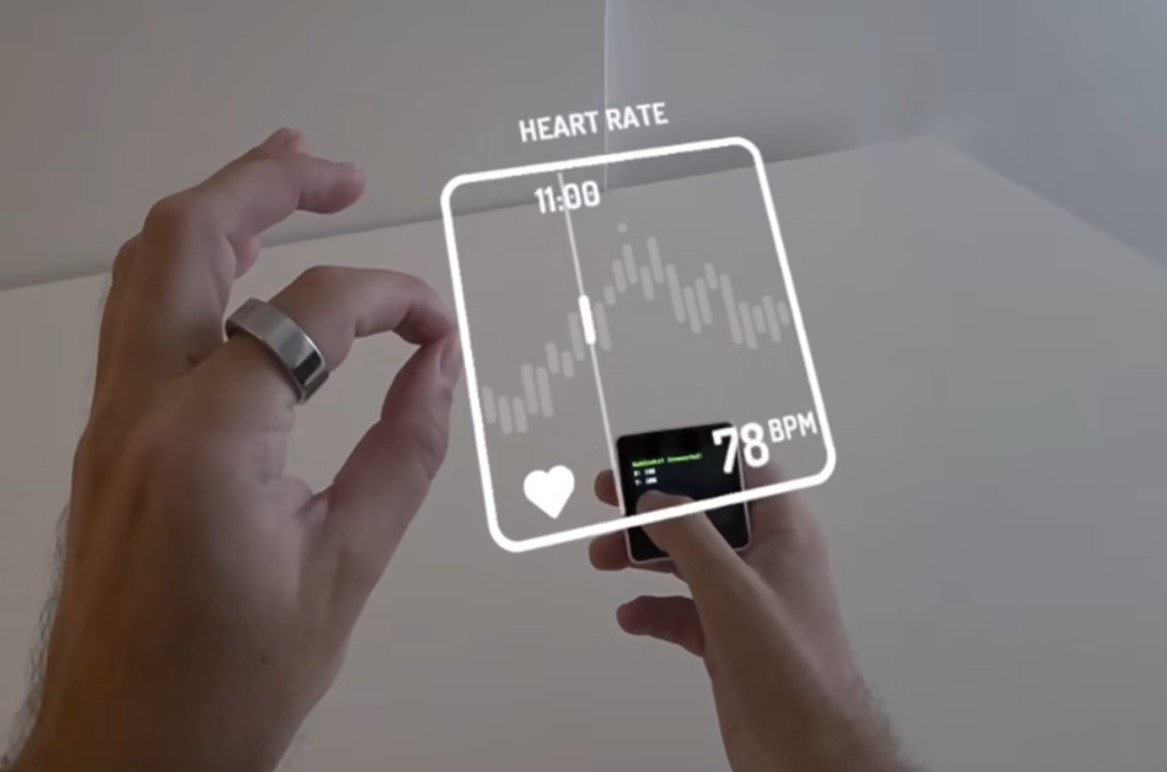
Small low-cost IoT devices development is a balance of many trade-offs. A big screen? Too bulky and need to recharge often. Small low-res screen or no screen? Hard to use, and so-dated. I came across a concept video about Augmented Reality (AR) User Experience (UX) using microcontroller-based input, by Adam Varga. As AR glasses and headsets becomes more mature, perhaps its time to rethink how we interact with our smart homes if everyone is wearing a pair of AR glasses.
Opportunities
Small low-cost IoT devices can do without a screen, just simple buttons, knobs and capacitive touch panel that goes to sleep when not in use. As long as it can achieve reasonable latency, it can be really snappy and ‘project’ a large display in your AR glasses. This allows the IoT device to not run displays, ‘outsourcing’ this work to the AR glasses.
For interaction, the IoT device will simply need a small touch panel for input, the AR glasses can then overlay a display, allowing users to navigate all their smart home options and menus. Users no longer have to scramble for their phone, navigate all the way into their smart home app to pull up the video feed from their smart doorbell, or to tweak their smart light to the perfect hue.
Device is low on battery? It can have a red arrow floating above the device, reminding them to pick it up to charge. No different from those monster drops, and NPC overhead icons we see in RPG games.
Takeaways
When AR glasses become a commonplace, it will unlock even more out from the smart home experience. We are starting to see some of it from Apple Vision Pro, pinning ‘widgets’ onto walls and space. Small smart home devices that users can interact with, will no longer have limitation on screen sizes, resolution, and compute, while solving battery life issues in one fell swoop.